Page 1 of 1
partitions
Posted: Tue Jun 21, 2005 3:11 pm
by jonny cockeral
how do i find out how many partitions there are on my harddrive
Posted: Tue Jun 21, 2005 3:13 pm
by 13laze
if you have windows installed on the partition, then you can see it on your computer folder.
Normally the HD is not partitioned unless you do it yourself.
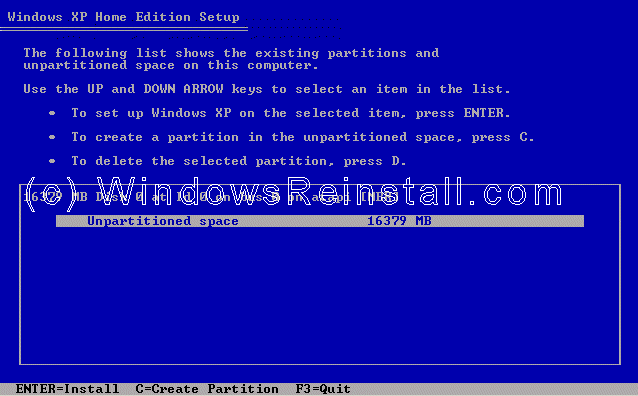
Boot a windows cd and follow the installation process.
This will lead you to a selection of hard drive space or partition options.
Posted: Tue Jun 21, 2005 5:39 pm
by jonny cockeral
well what happened was i got a virus that logged me and any other users of as soon as they logged on (winxp) so i =had to re-install a new copy but i didnt backup or loose anything. so what im wondering is do i have to versions installed, could it be using up diskspace
Posted: Tue Jun 21, 2005 5:55 pm
by 13laze
how did you re-install xp, exactly?
like when the computer booted up you booted through the cd/dvd rom and went step by step...
or
through windows like so...

Posted: Tue Jun 21, 2005 6:30 pm
by jonny cockeral
through the boot, i couldnt get past the logon screen anyway possible, i.e. sfare mode and secret admin account
Posted: Tue Jun 21, 2005 6:53 pm
by 13laze
ohhh, when you do that, just delete the previous partition, create a new one and than install the windows on it
Posted: Tue Jun 21, 2005 9:42 pm
by jonny cockeral
yeah but how do i know if i have more than one cause i reinstalled windows but didnt loose my old stuff, the windows installation let me get past the virus and get into norton to remove it
Posted: Tue Jun 21, 2005 11:52 pm
by Kal-El
Just open up my computer. Im gonna assume everything was either fat32 or NTFS formatted. It should all show up there. Or you can always get a copy of Partition Magic. Great program to using when dealing with partitions.
Posted: Wed Jun 22, 2005 2:04 am
by 13laze
you only have one partition man
Posted: Wed Jun 22, 2005 2:41 am
by Guest
I part my hair slightly to the left
Posted: Wed Jun 22, 2005 2:49 am
by 13laze
shows in your pictures
